
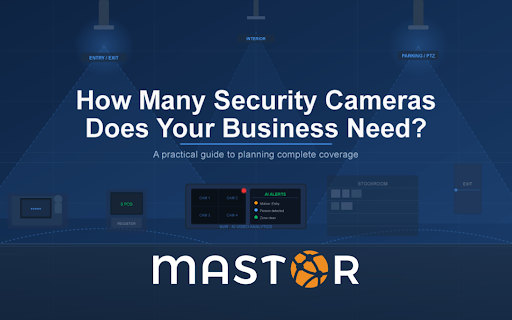
It’s one of the most common questions businesses ask before installing a surveillance system, and it rarely gets a straight answer. Most vendors will tell you it depends — and they’re right, but that’s not especially useful when you’re trying to budget a project or understand what adequate coverage actually looks like.
The honest answer is that camera count follows from coverage goals, not the other way around. Before you land on a number, you need to know what you’re trying to protect, where the real vulnerabilities are, and what you want the footage to do. Get that right, and the number takes care of itself.
Here’s a practical framework for working through it.
Start With Coverage Points, Not Camera Count
Rather than asking “how many cameras do I need,” start by mapping every location that requires coverage. Once you have that list, camera count follows naturally. The locations that are non-negotiable for virtually every business:
- Every entry and exit point — exterior doors, loading docks, emergency exits, and any door that’s regularly used by staff or customers. These are your baseline.
- The parking lot or exterior perimeter — especially areas with low foot traffic, blind corners, or where vehicles or equipment are stored overnight.
- Cash handling and POS locations — registers, safes, cash drawers, or anywhere money changes hands.
- High-value inventory or equipment areas — stockrooms, server rooms, storage areas, equipment bays.
- Reception and common areas — lobbies, waiting rooms, break rooms, and any shared space where incidents are likely to involve multiple people.
Count those locations. That’s your minimum. Everything else — interior hallways, secondary storage, overflow parking — is a judgment call based on your risk profile and budget.
Rough Camera Counts by Business Type
While every property is different, these ranges reflect what most businesses in each category end up with after a proper site assessment. Use them as a starting point, not a prescription.
| Business Type | Typical Range | Key Coverage Priorities |
| Small office (under 2,000 sq ft) | 4–8 cameras | Entry/exit, reception, server room, parking |
| Mid-size office (2,000–8,000 sq ft) | 8–16 cameras | All entries, floor coverage, parking, stairwells |
| Retail store | 8–20 cameras | All entries, POS, fitting rooms (exterior only), stockroom, floor coverage |
| Restaurant or bar | 6–14 cameras | Entrances, bar/POS, kitchen, exterior, parking |
| Medical or dental office | 6–12 cameras | Entry, reception, pharmacy/supply storage, parking |
| Warehouse or light industrial | 12–30+ cameras | All loading doors, floor coverage, equipment areas, perimeter |
| Multi-tenant office building | 16–40+ cameras | All entrances, elevators, stairwells, parking structure, common areas per floor |
These ranges assume standard fixed cameras. Wide-angle or PTZ (pan-tilt-zoom) cameras can cover more ground per unit, which can reduce total count in open areas like parking lots or large floor plans.
Resolution Matters More Than Quantity
A mistake businesses frequently make is installing too many low-resolution cameras to hit a budget, ending up with footage that covers every inch of the property but isn’t usable for identification or investigation. Three 4K cameras covering a parking lot will give you better results than eight 1080p cameras covering the same space — and the footage will actually hold up if you ever need it for insurance or law enforcement.
Security industry guidelines from ASIS International consistently emphasize that camera resolution and placement quality outweigh raw camera count. A face captured at 30 feet in 4K is identifiable. The same face at 30 feet on a budget 2MP camera often isn’t.
The AI advantage: Businesses using AI-enabled cameras like Turing AI often need fewer units than a traditional system. AI cameras can detect motion, classify objects, send real-time alerts, and monitor multiple zones from a single wide-angle lens. One well-placed AI camera with behavioral analytics can do what might otherwise take three or four passive cameras with someone reviewing footage after the fact.
The Coverage Zone Calculation
For general interior coverage, a rough rule of thumb is that a standard fixed camera with a 90-degree field of view covers approximately 400–600 square feet at useful resolution. A wide-angle lens at 110–120 degrees can push that to 700–900 square feet in an open space, though detail degrades toward the edges.
This means a 5,000 square foot open-plan office might need 8–12 cameras for thorough interior coverage — before accounting for entry points, storage areas, and the exterior. In practice, a good installer won’t calculate coverage purely by square footage. They’ll walk the space and identify sightlines, natural chokepoints, and zones where a single well-placed camera eliminates the need for two.
Compliance and Industry-Specific Rules
Some industries have legal requirements or insurance mandates that affect camera placement and coverage. Before finalizing your plan, check:
- Healthcare: HIPAA privacy requirements restrict camera placement in patient examination rooms and areas where protected health information might be visible. Cameras in waiting rooms and corridors are generally fine; anything closer requires careful review.
- Retail: Fitting rooms and restrooms cannot be monitored under Missouri law and federal guidelines. Cameras covering fitting room entrances are standard; cameras inside are not permissible.
- Cannabis dispensaries: Missouri regulations mandate specific camera placement, minimum resolution requirements, and footage retention periods for licensed dispensaries.
- Financial institutions: Banks and credit unions typically follow Federal Financial Institutions Examination Council (FFIEC) guidance, which specifies coverage of teller stations, vaults, ATMs, and entrances.
If your business operates in a regulated industry, work with a security installer who understands those requirements — not just the technology.
Indoor vs. Outdoor Cameras Are Not Interchangeable
Outdoor cameras require an IP66 or higher weatherproof rating, infrared night vision capable of performing in your local conditions, and vandal-resistant housing. Indoor cameras don’t need any of that, which is why they cost less. A common mistake is buying a single model for the whole property to simplify procurement, ending up either overspending on indoor units or — worse — installing indoor-rated cameras outside.
Parking lot and exterior perimeter coverage also benefits from cameras with longer focal lengths (to identify faces and license plates at greater distances) or PTZ units that can track movement across a large area. The video surveillance systems Mastor installs are specified for each zone rather than one-size-fits-all, which is the only approach that makes practical sense.
What Footage Retention Do You Need?
Camera count also affects storage requirements. More cameras, higher resolution, and longer retention all multiply your storage needs. Most businesses end up somewhere between:
- 7–14 days for general commercial use (sufficient for most incident investigations)
- 30 days for retail, restaurants, or higher-risk environments
- 90+ days for financial institutions, cannabis, and regulated industries
Cloud-based storage makes it easier to scale retention without buying and maintaining local hardware. AI-based systems like Turing AI’s integrated platform can also reduce storage costs significantly by recording on motion or event triggers rather than continuously — a system that only stores footage when something is actually happening uses a fraction of the storage of one that records 24/7.
Get a Site Assessment Before You Commit to a Number
The businesses that end up with the right camera count are the ones that had someone walk their property before specifying the system. A site assessment identifies the coverage points that aren’t obvious from a floor plan — the blind corner behind the dumpster, the loading dock that’s out of sight of the main entrance, the interior hallway that connects two areas where incidents tend to cluster.
It also helps avoid over-buying. Some businesses come in expecting to need 20 cameras and end up with 12 that cover everything more effectively, because a properly placed camera eliminates the need for two poorly placed ones.
Mastor Telecom designs and installs video surveillance systems for businesses throughout St. Louis and the surrounding area. We’ll walk your space, map your coverage requirements, and give you a specific recommendation — not a range. Contact us or call (314) 997-9007 to schedule a site assessment.