
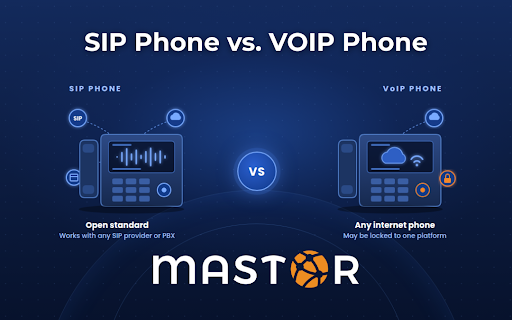
If you’ve shopped for business desk phones lately, you’ve probably noticed that some are labeled “SIP phones” and others are labeled “VoIP phones,” and the two terms get tossed around like they mean the same thing. They don’t, quite. Understanding the SIP phone vs. VoIP phone difference is one of those small pieces of homework that can save you real money the next time you change providers, move offices, or upgrade a phone system.
Here’s the short version: every SIP phone is a VoIP phone, but not every VoIP phone is a SIP phone. VoIP describes the broad category of making calls over an internet connection. SIP is one specific, open-standard protocol those phones can use to set up and manage calls. The distinction matters because it determines whether your phone will work with any provider you choose, or only with the one that sold it to you.
Let’s unpack that.
VoIP Is the “What.” SIP Is the “How.”
VoIP (Voice over Internet Protocol) is an umbrella term. Any time a voice call is converted into data packets and sent across an IP network instead of a copper phone line, that’s VoIP. A “VoIP phone,” then, is simply any handset built to make those calls: a desk phone with an Ethernet jack, a cordless IP handset, a conference speakerphone, even a softphone app on your laptop.
SIP (Session Initiation Protocol) is a specific set of rules for how a VoIP call gets started, changed, and ended. The Internet Engineering Task Force, the group that standardizes how the internet works, defines it in RFC 3261 as “an application-layer control (signaling) protocol for creating, modifying, and terminating sessions.” In plain English, SIP is what handles the dial tone, the ringing, the hold button, the transfer, and the hang-up. The actual audio of your conversation travels separately over a companion protocol called RTP (Real-time Transport Protocol, RFC 3550).
A useful analogy: VoIP is “shipping a package.” SIP is the dispatch system that tells the courier where to pick up, where to deliver, and when the job is done. RTP is the truck that carries the package. You need all three for a call to happen, but only SIP is the part that a phone either “speaks” or doesn’t.
So when a vendor says “SIP phone,” they’re telling you which signaling language the phone uses. When they say “VoIP phone,” they’re only telling you it makes calls over the internet somehow.
What Is a SIP Phone?
A SIP phone is a VoIP phone that uses the open SIP standard to communicate with a phone system or service provider. Because SIP is a published standard rather than a proprietary design, SIP phones from different manufacturers can register with the same phone system, and the same SIP phone can move between providers.
Most of the business desk phones you’ll see today are SIP phones: Yealink, Poly (formerly Polycom), Grandstream, Fanvil, Snom, and many others. If you’ve read our guide to the Yealink SIP-T54W, you’ll notice “SIP” is literally in the model number. That’s the manufacturer telling you the phone is standards-based.
A SIP phone typically has:
- A SIP account (or several) configured in its web admin panel, with a username, password, and server address
- The ability to register to a cloud PBX, an on-premise IP PBX, or a SIP trunk directly
- Support for standard features like transfer, hold, conference, BLF (busy lamp field), and voicemail indicators regardless of which system it’s connected to
What Is a VoIP Phone That Isn’t a SIP Phone?
This is where the SIP phone vs. VoIP phone difference actually shows up in the real world. A handful of VoIP phones use proprietary or platform-specific signaling instead of (or on top of) open SIP:
- Legacy vendor protocols. Some older Cisco phones shipped with Cisco’s own SCCP (“Skinny”) protocol, and some older Avaya sets used H.323 or Avaya-specific signaling. Many of these can be re-flashed to SIP firmware, but out of the box they only talk to their own manufacturer’s call manager.
- Platform-locked phones. Phones sold as “certified for” a particular cloud platform often run that platform’s firmware. They look like ordinary desk phones, but they’re built to sign into one specific service, not to register with a generic SIP server.
- Provider-locked phones. Some VoIP providers ship phones that are pre-provisioned and locked to their service. The hardware may well be a standard SIP phone underneath, but the admin password and provisioning server are controlled by the provider, so you can’t easily point it somewhere else if you leave.
None of these are “bad” phones. They just aren’t portable, and that’s the whole point of the distinction.
SIP Phone vs. VoIP Phone Difference at a Glance
| SIP Phone | Non-SIP VoIP Phone | |
| Signaling protocol | Open standard SIP (RFC 3261) | Proprietary or platform-specific |
| Works with multiple providers | Yes, register it to any SIP-compatible service | Usually only the vendor’s own platform |
| Works with an on-premise IP PBX | Yes | Only if the PBX is from the same vendor |
| Works directly with SIP trunks | Yes | Generally no |
| Switching providers later | Keep the phones, change the settings | Often means buying new phones |
| Feature set | Standard features on any system; advanced features depend on the PBX | Tight integration with one platform |
| Best for | Businesses that want flexibility and standards-based equipment | Businesses fully committed to a single vendor ecosystem |
Why the Difference Matters for Your Business
1. Vendor lock-in is the hidden cost
A desk phone typically runs $100 to $300 per unit. Multiply that across 20, 50, or 100 desks and you’re looking at a meaningful capital expense. If those phones are locked to one platform, every future decision about your phone service is weighed down by the cost of replacing hardware. With SIP phones, switching providers is a configuration change, not a purchase order.
2. SIP phones are what make SIP trunking and on-premise PBXs work
If you run (or are considering) an on-premise phone system, your handsets need to speak the same language as your PBX. Modern on-premise systems like the Epygi IP PBX appliances we install are SIP-based, and they can auto-provision standard SIP endpoints. Likewise, our SIP trunking service requires that your customer premise equipment be SIP-compatible. A closet full of proprietary handsets is the most common reason a business that wants to cut its phone bill with SIP trunks ends up unable to.
3. Cloud PBX still benefits from open phones
Even if you’re going all-in on a hosted platform like our NUSO-powered Cloud PBX, standards-based SIP phones give you a way out if your needs change. Hosted providers publish lists of supported SIP phone models precisely because they expect customers to bring standard equipment, and a phone that works with one hosted provider will almost always work with another.
4. Compliance is the same either way, but portability makes it easier
Whether your desk phone is SIP or proprietary, it’s part of a multi-line telephone system, which means it’s subject to federal 911 rules. Kari’s Law and RAY BAUM’s Act require that any phone can dial 911 directly without a prefix, that someone on site is notified when a 911 call is placed, and that a dispatchable location (street address plus floor, suite, or room) is sent with the call. The FCC also reminds VoIP users that internet-based phones may not work during a power or internet outage, so battery backup and an accurate registered address are non-negotiable. The practical advantage of SIP phones here is that when you move a phone to a new desk or a new provider, you’re editing a location record, not re-certifying a proprietary device.
How to Tell Which Kind of Phone You Have
You don’t need to be a network engineer to figure this out. Try these in order:
- Check the model name. Many manufacturers put “SIP” right in the name (Yealink SIP-T54W, Grandstream GXP series, Poly VVX with “SIP” or “OpenSIP” firmware).
- Look at the spec sheet. Search the product page or PDF for “SIP,” “RFC 3261,” or “SIP v2.” If the only protocols listed are a vendor’s own, it’s proprietary.
- Log into the phone’s web interface. Type the phone’s IP address into a browser. A SIP phone will have an “Account” or “Line” page with fields for SIP server, register name, and password. If you can’t get past the login because the provider holds the admin password, the phone is at minimum provider-locked.
- Ask who provisioned it. If your phones were shipped pre-configured by a provider and you’ve never had admin access, assume they’re locked until proven otherwise.
Which Should You Buy?
For most small and mid-sized businesses, the answer is simple: buy open-standard SIP phones. They cost about the same as proprietary alternatives, they work with every major hosted PBX, every SIP trunk, and every modern on-premise system, and they protect your investment if you ever decide your current provider isn’t the right fit. The only time a platform-locked phone makes sense is when you’ve deliberately chosen to live entirely inside one vendor’s ecosystem and you’re comfortable replacing the hardware if you ever leave.
One more thing worth knowing: with Mastor’s hosted plans, hardware replacement is included in your monthly fee, so the question of what happens to your phones if they fail is already answered. What SIP phones protect is your freedom to choose who you work with in the first place.
Frequently Asked Questions
Is SIP better than VoIP? The question doesn’t quite apply. VoIP is the general technology; SIP is one protocol used to make VoIP calls. Asking whether SIP is better than VoIP is like asking whether diesel is better than trucks.
Can a SIP phone work without a VoIP provider? Not for outside calls. A SIP phone can register to an on-premise PBX and make internal extension-to-extension calls with no outside service, but reaching the public phone network still requires SIP trunks or a hosted VoIP provider.
Are all Yealink, Poly, and Grandstream phones SIP phones? Most are, but check the firmware. Some models are sold in platform-specific versions (for example, a Teams edition running Microsoft-specific software). The same hardware in its standard or “OpenSIP” firmware is a fully portable SIP phone.
Do I need new phones to move from an old landline system to VoIP? Usually yes, since traditional analog phones don’t speak IP at all. Analog telephone adapters (ATAs) can bridge a few legacy handsets or a fax machine onto a SIP network, but for everyday desk use, standard SIP phones are the cleaner path.
Not Sure What’s on Your Desks? We’ll Tell You.
Mastor Telecom has been helping St. Louis businesses sort out exactly this kind of question since 1991. Whether you’re auditing an existing phone closet, evaluating SIP trunking for an on-premise system, or moving to Cloud PBX and want to know which of your current handsets can come along, get in touch and we’ll walk through it with you, no sales pitch required.